KBPublisher allows you to bulk update files to:
- Move to a category
- Add to a category
- Set tags
- Make the files public or private
- Schedule file publication
- Re-parse files to extract text from the file (to make them searchable) and update the file size information
- Set custom fields
- Set file status
- Delete files.
You can do this direct from the Files menu, Files tab.
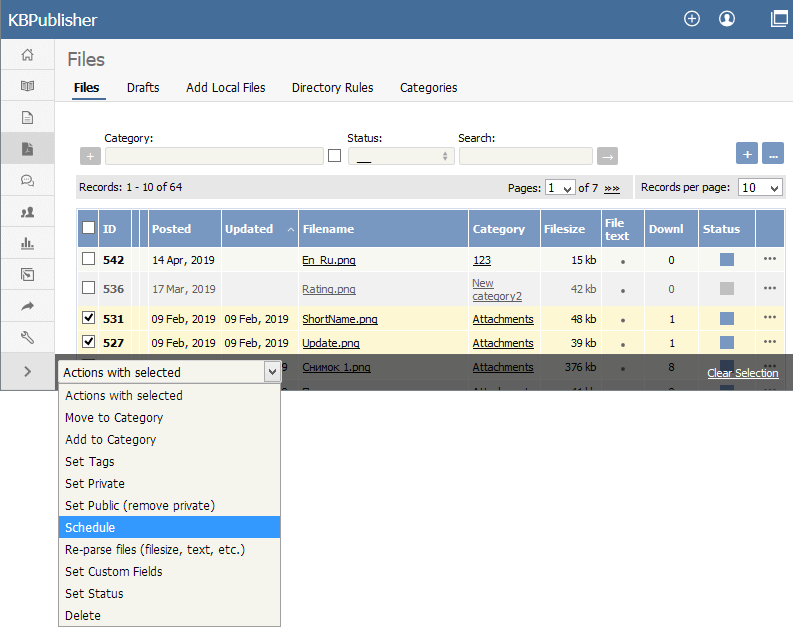
To update the file:
- Check one or more files to update
- Choose the appropriate action from the drop down list of actions with selected
- This brings up further options to select from according to the action chosen. Choose the appropriate selection
- Click OK.
Note:
Bulk actions available depend on your user access.
For example if your privilege does not allow you to delete items, or allows you to only delete articles that you have created, then there is no 'Delete' action in the list of options. If your privilege does not allow you to update items, or allows you to only update items you have created, then this menu will not be available for you at all.


