To track whether a scheduled task has happened as expected, what the scheduled task did, and whether there were any errors:
- Log in to the Admin Area
- Click on the Logs menu
- Click on the Scheduled Tasks tab
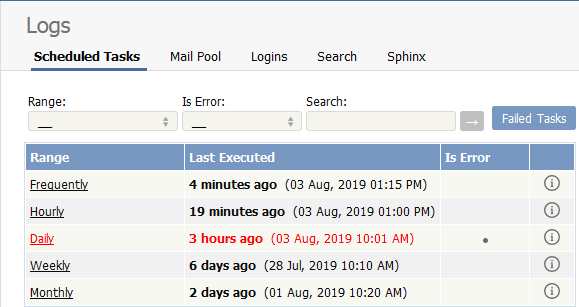
The information displayed on this screen shows:
- The scheduled task -- frequently, hourly, daily, weekly, and monthly -- in the range column
- The time it was last executed
- Whether or not the task had errored (is error)
- A link to the output of the most recent scheduled task of this type. Click on the icon to see full details.
Note: You must have administrator privileges to see the log details.
----------------------------------------------------------------------
This functionality works in version 3.5 and above


