
|
LDAP authentication allows you to integrate your organization's authentication system with KBPublisher. Steps to enable LDAP Authentication
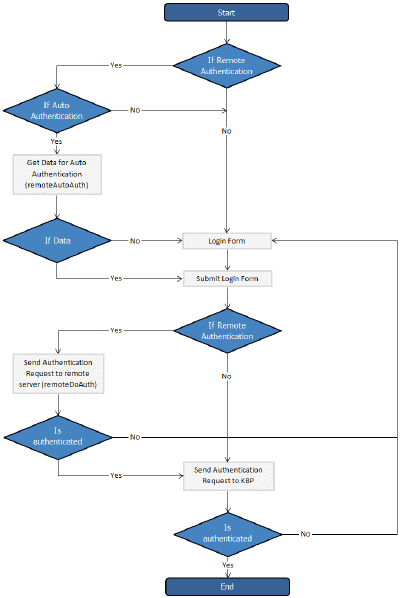
Quick summary of the process
Tracking loginsYou can see how your remote authentication works in logs Logs/Logins For debugging every last login is logged to a file called last_remote_login.log in the KBPublisher cache directory (APP_CACHE_DIR in admin/config.inc.php ). |

Powered by KBPublisher (Knowledge base software)