To track what emails have been sent, and whether they succeeded or failed:
- Log in to the Admin Area
- Click on the Logs menu
- Click on the Mail Pool tab
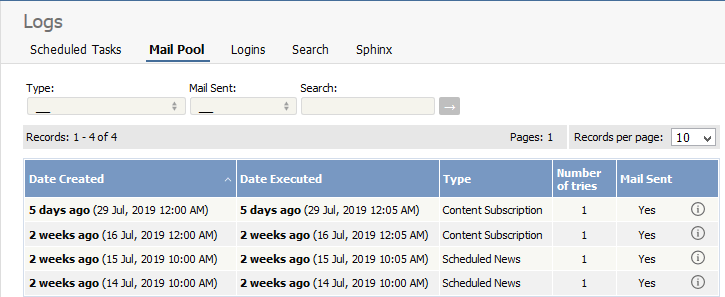
The information displayed on this screen shows:
- Date and time the mail was created
- Date and time it was sent (or tried to be sent)
- Type of mail it was
- How many times the system tried to send the mail
- Whether or not the send was successful
- The full log details. These are the details summarized on the mail pool tab, plus the contents of the mail that was sent/tried to be sent.
Note: You must have administrator privileges to see mail log details.
----------------------------------------------------------------------
This functionality works in version 4.0 and above


