To track what searches users have used to find information in the knowledgebase:
- Log in to the Admin Area
- Click on the Logs menu
- Click on the Search tab
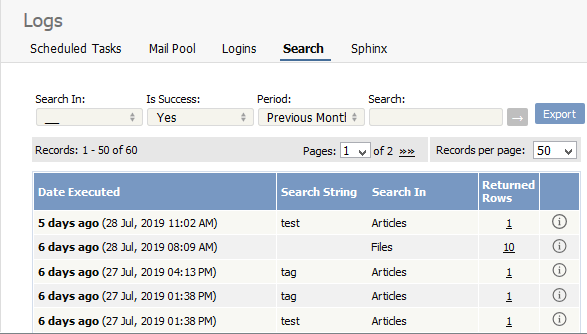
The information displayed on this screen shows:
- When the search was done
- The string the user typed in
- Categories they searched in
- How many results were returned.
You can filter results on
- Area of knowledgebase
- Whether the search was successful or not
- How recently searches were made
- Or you can search on a specific search string.
Note: You must have administrator privileges to see log details.
----------------------------------------------------------------------
This functionality works in version 4.0 and above


